


 Unity
 Unreal
 Godot

 Mobile
 PC
 Console

 Full-Cycle
 Co-Development
 Outstaffing




-
 Game Development
 Nov 6th, 2026
- Share:
Table of Contents
- TL;DR (Quick Summary)
- What does a playable prototype tell you?
- How do you turn an AI game prototype into a finished game?
- Should you keep the code, patch it, or rebuild?
- How do you optimize an AI-generated game?
- When should you replace AI art before launch?
- What does an AI game development workflow look like?
- When can you finish the game yourself?
- What should you share for a prototype review?
- Conclusion
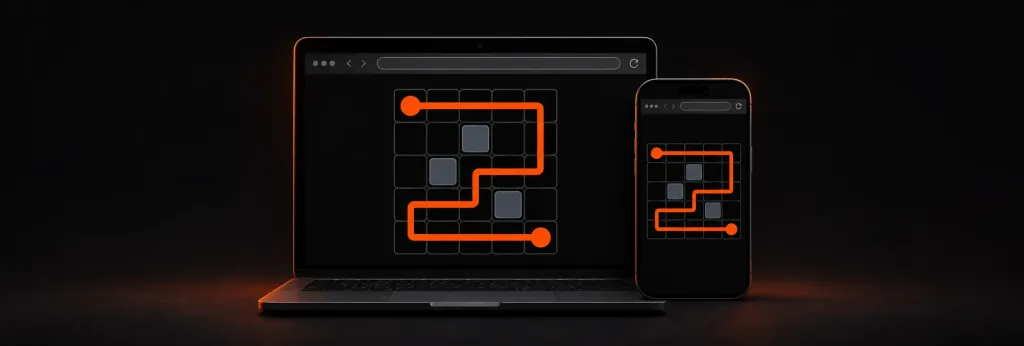
Imagine your AI-generated game prototype is a small tile puzzle you built with an AI coding tool. Friends open it in their browsers, drag tiles into place, and ask when you’re adding more levels. Then you try the same game on a phone. The page scrolls when you drag a tile, and after you close the app, your progress is gone.
This guide shows how to take an AI game prototype to production how to test it on a real device, how to choose between keeping, patching, or rebuilding the code, and what to do about AI-made art. The browser playtest suggests the idea works. The phone test tells you something else: what needs fixing before you plan the release.
TL;DR (Quick Summary)
To take an AI-generated game prototype to production, save a working copy, package one representative level for your first target platform, and test it on a device you plan to support. Then make one small feature change and see what else it affects. Those results show whether to keep the code, patch the weak systems, or rebuild the core, and they scope the performance, art, and testing work that follows. Art is often the riskiest part because of store disclosure rules, ownership questions, and how players react.
Key Takeaways
- Save a working copy and set up version history before any tool “cleans up” the project.
- A prototype that plays well shows the idea has promise. It doesn’t prove the code can grow.
- Test installs, updates, and saves on a real device you plan to support.
- A bug you can reproduce is a better basis for keep, patch, or rebuild than a hunch.
- Decide early what to do about AI-made art, because it affects store forms, ownership, and reception.
What does a playable prototype tell you?
Early in AI game prototype development, let someone try the tile puzzle before you explain the rules. Do they notice which tiles can move? When they get stuck, do they try another move or assume the game has stopped responding? That observation can tell you whether to simplify the first level, change the visual cue, or keep the mechanic as it is.
A playable prototype shows that the idea is fun for at least a few players. It doesn’t prove that the code can grow, that the game runs on other people’s devices, or that you can ship everything in it. A prototype, a vertical slice, and an MVP each answer a different question: a prototype asks whether the idea is fun, a vertical slice asks what the finished game will look and feel like, and an MVP asks what the smallest version is that you can release. If you’re preparing a publisher pitch, you might polish one level to show how the finished game should feel. If you’re preparing a public release, you also need to see what happens when someone installs it, plays offline, and comes back after an update.
AI coding tools often aim at getting the next prompt to work, which suits a prototype. Structure, error handling, and performance tend to get left for later, and later arrives when players start saving progress. For the puzzle, a generated level script can help you test an idea quickly. Once players have saved progress, even a small change to that script can break something they expect to keep. For the wider picture of where AI fits across design, art, testing, and live operations, see our overview of the role of AI in game development.
How do you turn an AI game prototype into a finished game?
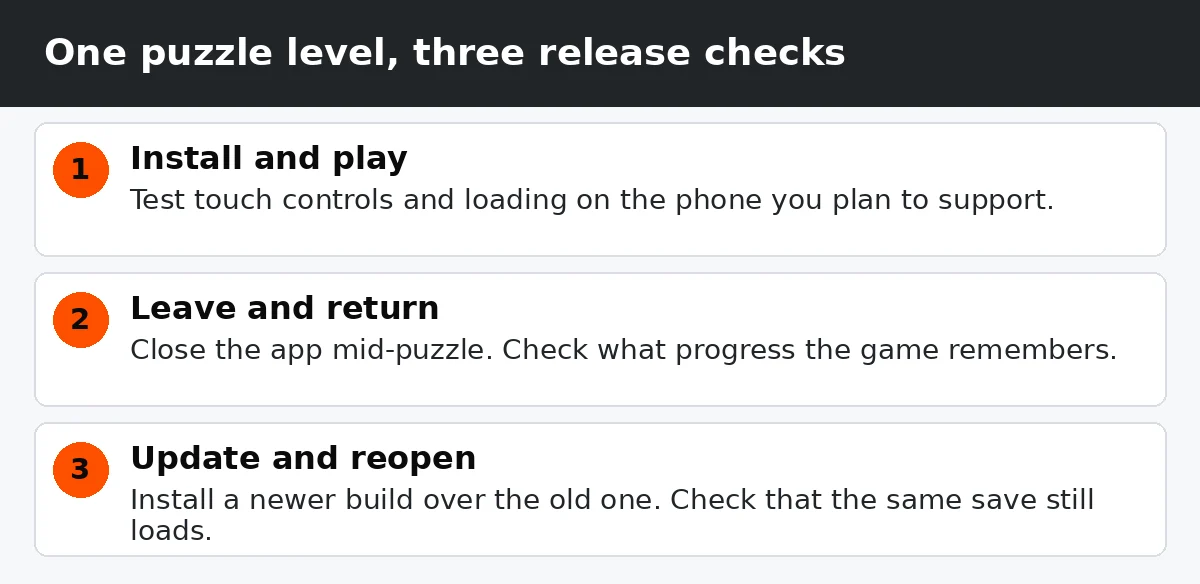
To turn an AI game prototype into a finished game, you work through six stages: save a baseline, audit the project, set the release scope, stabilize the game, finalize the assets, and test a release candidate. The workflow section below walks through each one. Start with a single check: follow one level through a normal play session. Install it on the kind of device you want to support, start a puzzle, close the app halfway through, and reopen it. Then install a newer build over the same copy and see whether the game remembers the level you were on.
Write down what happened at each step of that check. If the phone scrolls when you drag a tile, you have an input issue to investigate. If it forgets the puzzle after an update, you have a repeatable save test to use while fixing it. The same approach works for the checks below.
The example is a puzzle on a phone, but the same steps work for a PC or Steam build. Swap the phone for the lowest-spec machine you plan to support.
| Area | Common prototype gaps | Release checks |
|---|---|---|
| Code structure | One script handles several unrelated jobs | A teammate can build and safely change the project |
| Performance | Runs fine on the machine it was built on | Frames show quickly and smoothly, memory use stays within the device’s limits, and loading is quick on supported devices |
| Saves and accounts | Progress tested on one device or build only, with no sign-in or cloud save | Progress survives a restart and an update, and sign-in or cloud save works if the game uses it |
| Platform builds | A web build or a single desktop build | Installable builds that are digitally signed so the store accepts them, plus any required platform features |
| Security | Keys and passwords sitting inside the game, scores decided by the player’s device | Passwords and keys kept out of the game itself, and purchases or competitive scores checked on your own server where they apply |
| Art and audio | Generated placeholders, flat image files, a mix of styles | Consistent assets with source files and documented rights |
| Testing | Informal playtesting on one setup | Tests on real devices, plus re-checks after each change that old features still work (regression tests), with crash reporting where needed |
A small 2D game can sometimes keep its browser code and ship in a web wrapper, which packages the web game as an installable app. Try that route on the target device and see how it handles touch input, interruptions, and offline play. If you still can’t meet a measured performance target or support a required platform feature, you have a clear reason to evaluate moving to an engine.
Should you keep the code, patch it, or rebuild?
Say you add a bonus puzzle between levels two and three. When you open a save made with the previous build, the game loads the bonus puzzle in place of level three. This kind of bug is easy to hit when you take a vibe-coded game to production, and one you can reproduce gives you a firm basis for deciding how much code to replace.
A save might remember your spot as “the third level in the list.” Add a bonus puzzle in the middle and every later level shifts, so the old save opens the wrong one. If the rest of the game can work with a fixed ID for each level (a stable level ID), you may be able to patch the save system and convert old saves to the new IDs. If progression, rewards, and the level menu all rely on the same list positions, test how much of that dependency you can untangle. A rebuild becomes worth estimating when the affected systems block the release and targeted fixes are difficult to verify.
| Option | When it fits | What you keep | Main risk |
|---|---|---|---|
| Keep and fix small issues | Clean build and safe feature changes | Most code, levels, and assets | Hidden bugs turning up in testing |
| Patch the weak parts | One or more isolated systems fail release checks | Working systems and content | Old and new code not fitting together cleanly |
| Rebuild the core | Core architecture blocks release needs across systems | Design, art direction, level layouts, and playtest notes | Migration effort and changes to game feel |
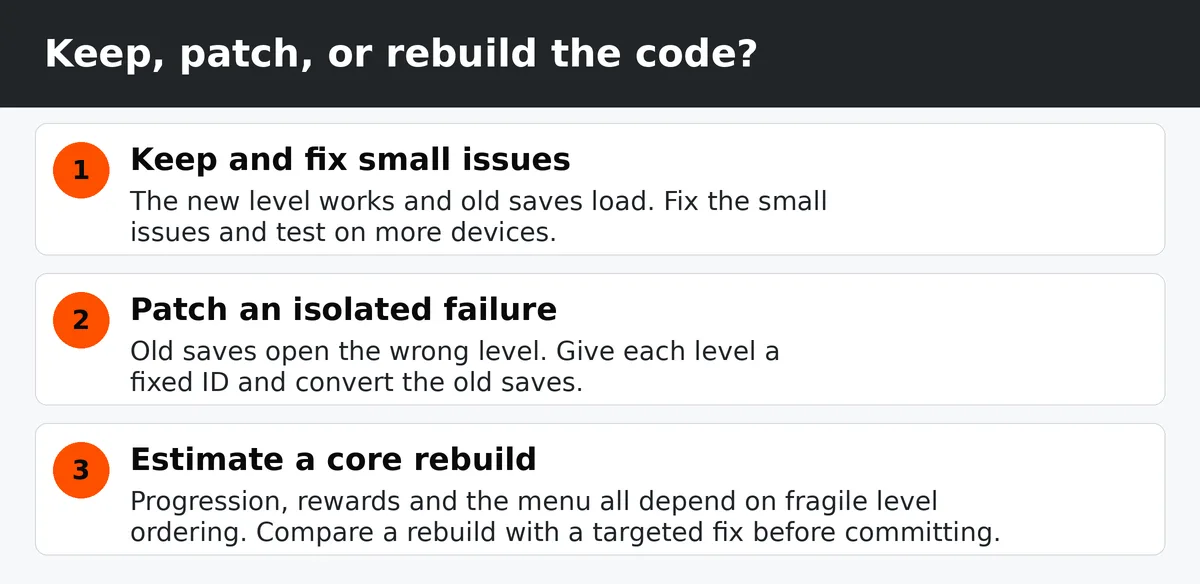
Price the options against the same first release. A patch estimate should include testing with old saves, and a rebuild estimate should include carrying over the level layouts, retesting the game feel, and reintegrating assets you have permission to reuse.
Not sure which one you have?
Send us the build and we'll tell you what we find, including if the best answer is to ship it as it is.
How do you optimize an AI-generated game?
Knowing how to optimize an AI-generated game starts with measuring the same load the same way each time, so you can tell whether a change helped. You can profile the browser version and repeat the same test in the packaged build. Most engines include a profiler, a tool that records what the game is doing as it runs. If you build in Unity, profiling on the target device gives you measurements from the hardware you plan to support. Unreal has Unreal Insights, and Godot has a profiler in its debugger panel.
Suppose your largest puzzle opens smoothly on your laptop but pauses for a moment on the phone. Repeat the same load on the same device and record when the pause happens. Note how long each frame takes to show on screen (frame time), the most memory the game uses at once (peak memory), and the total loading time. Together they help narrow down what to investigate.
| Symptom | Possible cause | What to check |
|---|---|---|
| Stutters every few seconds | Bursts of memory use, or assets loading unevenly (allocation spikes) | Line up the moments the game slows down with memory activity and loading times |
| Slow start or long loading | Large images and audio files loaded all at once | Time asset loading and check which files the first screen needs |
| Phone runs hot or the battery drains | The processor or graphics chip (CPU or GPU) working hard for a long time | Watch frame rate and processor and graphics activity over a long session |
| Crashes on older phones | Running out of memory because of large textures or other assets | Inspect crash logs and the most memory used on affected devices |
| Works in the editor, fails in the build | Editor-only code, or files missing from the build | Check build logs, dependencies, and included files in a clean build |
If the pause lines up with loading a large placeholder image, try a representative final asset and run the test again. If the timing barely changes, the profile gives you a reason to investigate elsewhere before replacing every image.
After each fix, test a fresh install, an update over an existing save, and closing the game halfway through a play session and reopening it. Do it on real devices, and re-check older features, which is what device and regression testing means in practice. Then repeat the original performance test and confirm the result on a second device.
When should you replace AI art before launch?
Look at how each asset will be used in the finished game. The prototype might use one generated image for the whole puzzle board, but the release may need separate tiles so players can move them and still read the board on a small screen. Flag assets that need reworking, assets with unclear usage rights, and any publisher restrictions before you commission replacements.
More than half of game developers now say generative AI is bad for the industry. GDC’s 2026 State of the Game Industry survey, with responses from more than 2,300 professionals, found that 52% think generative AI is having a negative impact on the game industry, up from 30% a year earlier and 18% the year before that. In visual and technical art, 64% hold that view.
Reputation can be affected too. In December 2025 the Indie Game Awards withdrew Game of the Year and Debut Game from Clair Obscur: Expedition 33 after its use of generative AI came to light. Reports at the time described placeholder textures that were later patched out, with a few getting past QA into the release. If you use AI art as a stand-in, keep a list of every asset it touched so nothing ships by accident.
The Steamworks Content Survey distinguishes AI-assisted content made during development and shipped to players from content generated while the game runs. It’s about AI-made content that players see or hear, such as artwork, sound, narrative, and translations. Valve says efficiency gains from AI tools aren’t its focus, so tools you only use behind the scenes generally fall outside it. For content generated while the game runs, Valve also asks what safeguards you use to prevent illegal output. Review the current survey against the actual release build.
Commercial-use permission under a tool’s terms and copyright protection are separate questions. The U.S. Copyright Office’s report on AI and copyrightability says prompts alone generally provide insufficient human authorship. Qualifying human-created elements, modifications, or arrangements may be protected. This isn’t legal advice, so ask a lawyer about your own case.
If you need to replace AI art in a game, start with the assets that affect the most screens or levels. Ask whoever makes the replacements to put one finished tile set into the game and test it at the smallest supported screen size before they produce the rest. If you bring in an outside art team, that test can become the acceptance check for the assets they deliver.
At Juego, we use AI for research and early concepts. Our senior artists make the final art. If a publisher, platform, or investor has rules about AI use, tell any studio at the start so the workflow fits them. None of this means every AI asset has to go. Disclosure is common: a community count reported by Destructoid found that about 40% of Steam games released in 2026 so far disclose AI-generated content. The right call still depends on your store, your publisher, and your audience.
Before submission, compare the asset inventory with the packaged game and store materials. Remove unused placeholders and keep the records for any generated content that remains.
What does an AI game development workflow look like?
As you move from prototype to full game, keep the working browser build as a reference. You can return to it if a fix changes how the tiles move or if the next build introduces a problem you didn’t see before.
- Save a baseline. Keep a named copy of a working build (tag it in version control) and write down how to run it.
- Audit the project. Download a fresh copy of the project and build it from scratch (a clean checkout), review the libraries and tools it depends on, and try one change that matters to players.
- Set the release scope. Choose the first platform and record which systems you will keep, patch, or rebuild.
- Stabilize the game. Fix the core loop, save handling, and the parts that connect to a store or platform. Test fixes against the baseline.
- Finalize assets. Replace the placeholders you flagged, record permissions, and prepare any required disclosures.
- Test the release candidate. Check installs, updates, and device coverage, then submit with the required store materials.
When you set the release scope in step 3, check store requirements before you lock your build setup. Google Play has required new apps and app updates to target Android 16 (API level 36) or higher since August 31, 2026, which means the game has to be built and tested against that Android version. An existing app that targets Android 15 (API level 35) or higher stays available to new users on newer phones, while an older target limits which phones can see it. Apple has required uploads to be built with Xcode 26 or later, using the iOS 26 SDK (or the matching SDK for its other devices), since April 28, 2026. An export from an older setup can be refused at submission, so find this out early. The dates change, so check Apple’s App Store requirements and Google Play’s target API requirements on the day you submit. These rules are separate from the oldest phone or OS version your game supports, which you choose yourself.
If you continue using AI tools for code or tests, review changes in small batches and verify them against the same acceptance checks before merging.
When can you finish the game yourself?
If the game is small and you’re shipping to one platform, you can try working through the release checks yourself. For the puzzle, you’re in good shape when you can rebuild the game from a fresh copy of the project, old saves load correctly after the fix, and you know where every asset came from and whether you can use it. If all three are true and the list of remaining problems is short, finishing on your own is realistic.
Outside help makes more sense when you can point to a specific obstacle. If old saves still fail after the patch, hand over a sample save and the two builds that reproduce the issue. That gives a developer something specific to investigate and helps you scope the work.
Conclusion
The move from AI prototype to production-ready game starts with one level that captures what players will do most often. If it installs, handles an update, and survives one real feature change, you have a baseline for estimating the remaining work. If it fails, record what happened and use that result to decide what to fix before you commit to a release date.
If you have a puzzle like this, or any AI-built prototype, and a store date in mind, send us the build and a recording of the bug. We’ll tell you where it stands and what it would take to finish.
Frequently Asked Questions
Yes, as long as it meets the target store’s rules. For Steam, assess whether your build ships AI-assisted player-facing content or generates it during play, then complete the Content Survey accordingly. For Google Play, new apps and updates must target Android 16 (API level 36) or higher, and Apple requires uploads built with Xcode 26 or later, so check each store’s current requirements and its content rules for AI-generated material before you submit.
Partly. In the U.S., copyright protection depends on the human-authored elements of the work, so purely AI-generated material may not be protected. Review each tool’s commercial terms separately and document the sources and permissions for third-party material. This isn’t legal advice, so ask a lawyer about your own case.
It depends on how much of the code you keep, how many platforms you ship on, and how much art needs replacing. For scale, our indie budget guide’s example of a 2D puzzle mobile game built from scratch by one or two people runs 4 to 8 months. Finishing a prototype can take less if you keep most of the code and art, or more if the core needs rebuilding. [Juego to confirm: typical range for finishing an AI prototype.] Estimate after you’ve run a clean build and scoped the first release. Break the development timeline into code repairs, asset production, device testing, and submission so you can see what depends on a previous step. Allow time to fix and retest any issues found during release review.
It depends on the same things as timing. For scale, our indie game development budget guide lists a 2D puzzle or casual game at roughly $10,000 to $60,000 when built from scratch, and a lean 2D puzzle mobile example at $14,500 to $47,000. Those are market ranges, not a quote, and finishing a prototype is a different job. [Juego to confirm: typical range for finishing an AI prototype.] A confirmed number comes only after someone has run a clean build and scoped the first release, so a useful budget separates code and build work, asset production, testing, and submission. Ask whether the estimate includes third-party fees and ongoing costs for a backend or AI service.
Not always. A repeatable build and a successful feature change support keeping the code. If issues are isolated, price a patch or a targeted replacement before deciding on a full rebuild.
Often, yes. Prioritize assets with unclear permissions, publisher restrictions, or production issues such as missing animation layers. Track any generated assets you retain and complete the disclosures your target store requires.
Related Posts
Built Your Game Prototype With AI? Here’s How to Make It Shippable
Imagine your AI-generated game prototype is a small tile puzzle you built with an AI coding tool. Friends open it in their browsers, drag tiles into place, and ask when you’re adding more levels. Then you try the same game on a phone. The page scrolls when you drag a tile, and after you close the app, your progress is gone.
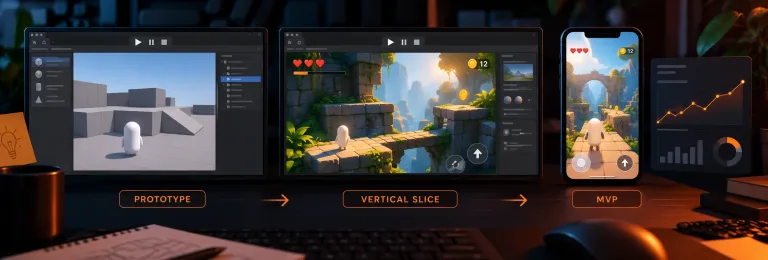
Vertical Slice vs Prototype vs MVP: What to Build Before You Pitch Publishers or Investors
A prototype, a vertical slice, and an MVP each prove something different, and the right one depends on who you’re pitching. Here’s how to choose before you spend weeks on the wrong build.
Have a Game Idea but No Development Team? How to Get It Built
This guide walks you through every realistic way to get your game made, what each one really costs you in time and control, and how to pick the right one before you spend a dollar finding out the hard way.