


 Unity
Unity Unreal
 Godot
Godot
 Mobile
 PC
PC Console
 Full-Cycle
 Co-Development
 Outstaffing






-
 Game Co-Development, Game Development
 Dec 10th, 2025
- Share:
Table of Contents
Cloud-based infrastructure has become the go-to approach for game development. Traditional on-site setups create severe limitations. They force studios to spend heavily on physical infrastructure and manage operations in-house. Studios also struggle to keep up with rapid changes in player demand.
Cloud-based game development removes these obstacles. It provides elastic computing resources, worldwide distribution capabilities, and integrated development tools. These tools scale automatically based on demand.
The importance of scalability and flexibility goes far beyond technical convenience. Scalability lets studios handle unexpected player surges without performance issues. It allows them to launch games with confidence, knowing the infrastructure will expand with success. It also helps maintain consistent performance across global player bases.
Flexibility enables quick iteration on game features. It allows smooth deployment of live updates and rapid strategy shifts. Studios can respond quickly to market conditions or player feedback.
There are two groups with equal importance but distinct needs. On one hand, indie studios typically work with limited budgets. They need managed, pay-as-you-go solutions that require minimal operational overhead. On the other hand, enterprise teams at AAA studios require precise control. They need multi-region redundancy and advanced monitoring to manage millions of concurrent players.
Both groups benefit from cloud infrastructure. However, their specific needs and scaling strategies differ considerably.
Understanding Scalability in Cloud Game Development
Scalability is a system’s ability to handle growing workloads and player numbers by adjusting resources automatically. In game development, this means supporting more concurrent players, managing peak-hour traffic, and keeping gameplay smooth and low-latency—even at large scale.
Vertical Scaling (Scaling Up)
Vertical scaling increases the capacity of a single server by upgrading its CPU, RAM, or GPU. It works well for steady, moderate growth or specialized workloads that need consistent performance. But it has limits. Upgrades require downtime and hit physical ceilings quickly. This makes it a poor choice for massive multiplayer games or 24/7 services.
Horizontal Scaling (Scaling Out)
Horizontal scaling spreads workloads across multiple servers, virtual machines, or containers. It uses load-balancing to manage traffic across these resources. This allows for near-unlimited scalability, improves fault tolerance, and reduces latency by placing servers closer to players. However, it requires a distributed architecture and more complex data management across systems.
Elasticity in Action
Elasticity means adjusting computing resources quickly based on real-time demand. During traffic spikes, more resources are added. When traffic drops, resources are reduced to save costs. Cloud platforms enable this with auto-scaling tools that react to metrics like CPU load, memory use, or network traffic.
Key Scalability Challenges
Traditional on-site setups face serious limits. Hardware capacity is fixed and can’t grow without new investment. Procuring and installing new servers can take months. Spikes in player traffic often lead to performance issues. Costs stay high due to always-on servers, and teams must handle everything in-house.
Cloud solutions solve these problems. They offer flexible, on-demand resources and managed infrastructure that scales with your needs.
Key Dimensions of Cloud Scalability
1. Elastic Compute & Auto-Scaling
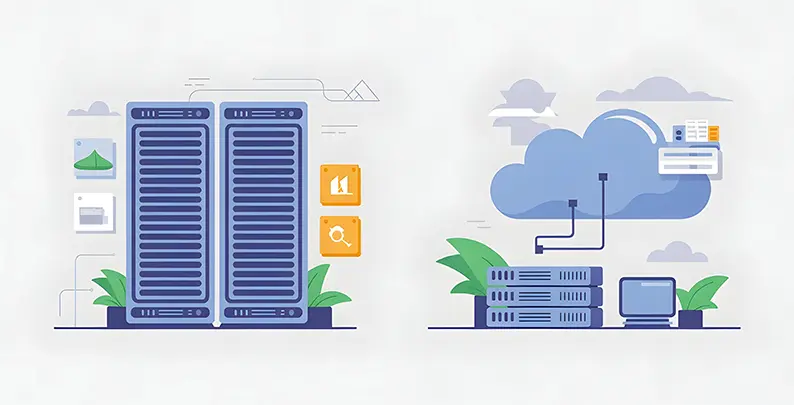
Auto-scaling groups automatically adjust resource capacity based on predefined metrics and thresholds. When CPU usage reaches a configured level (typically 70–80%), the system provisions more compute instances. As demand drops, extra instances are terminated, instantly cutting costs.
Use cases show the practical value of auto-scaling in gaming:
- Launch surges: A new game release or major expansion often causes huge spikes in player activity. Auto-scaling expands infrastructure automatically to handle this load, maintaining stable performance without manual input.
- Live operations (Live Ops) events: Events like seasonal competitions, limited-time offers, or special content releases create short-term demand spikes. Time-based scaling provisions resources before events and deprovisions afterward, improving cost efficiency.
- Regional peak hours: Player activity rises during certain hours in each region. Auto-scaling strategies adjust resources by time zone, ensuring smooth global performance while avoiding excess idle capacity.
2. Global Reach & Latency Optimization
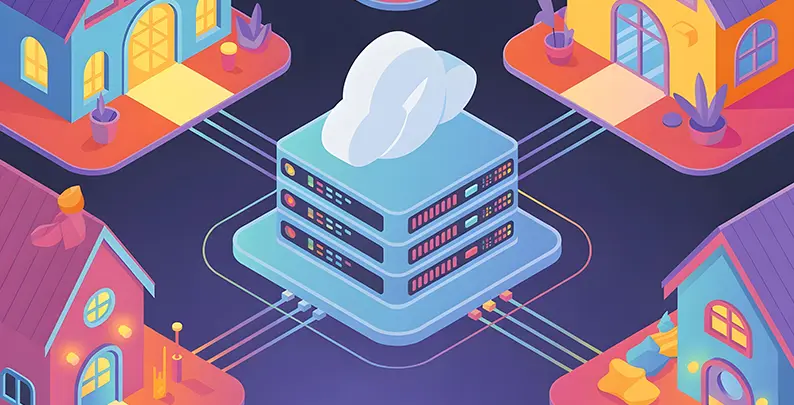
Edge servers and Content Delivery Networks (CDNs) reduce latency by caching and delivering game assets, patches, and updates from locations near players. Instead of sending all requests to a central server, CDNs distribute content through a global network of access points. This cuts download times and improves user experience.
Scaling server clusters across regions means deploying dedicated game servers in multiple geographic areas. Players connect to nearby servers, minimizing network latency. Cloud providers like AWS, Azure, and GCP have data centers in over 30 global regions. This allows studios to deliver sub-100ms latency, no matter where the player is located.
Global reach is critical in competitive gaming. Real-time multiplayer experiences suffer from even 100ms of extra lag, which can affect gameplay and fairness. Multi-region deployment ensures players worldwide get consistent, low-latency connections and built-in redundancy. If one region fails, traffic automatically reroutes to another.
3. Cost Efficiency Through Dynamic Resource Management
Pay-as-you-go versus reserved capacity is a core trade-off in cloud cost optimization. Pay-as-you-go charges only for active resource usage, ideal for unpredictable demand. Reserved instances involve long-term commitments (1–3 years) in exchange for 30–70% discounts, best for steady workloads. A smart approach combines both—using reserved instances for base load and adding on-demand or spot instances for traffic spikes.
Spot instances are another cost-saving option. They offer 40–90% discounts compared to on-demand pricing but have lower availability guarantees. Studios use them for non-critical workloads like batch processing, testing, and analytics. This cuts costs while keeping core game services unaffected.
Managing scaling budgets requires automated controls and alerts. Tools like AWS Budgets and Azure Cost Management set spending limits and trigger actions when thresholds are crossed. Best practices include tagging resources by project or feature, using chargeback models to track team usage, and auditing regularly to eliminate waste.
4. Managed Infrastructure and DevOps Offloading
Infrastructure-as-a-Service (IaaS) provides raw compute, storage, and network capacity. Developers get full control, but they must also manage scaling, patching, security, and monitoring themselves.
Platform-as-a-Service (PaaS) reduces this burden. It offers higher-level services where the provider handles infrastructure tasks like scaling and updates. Studios focus on application logic. Examples include AWS Lambda for serverless functions, Azure App Service for hosting, and fully managed databases.
Managed infrastructure lowers operational overhead significantly. Instead of relying on in-house DevOps teams to maintain servers, patch systems, monitor performance, and manage incidents, studios use provider-managed services. This lets developers spend more time on creative features and game design rather than back-end maintenance.
Flexibility in Cloud Game Development
Flexibility in cloud game development refers to the ability to quickly adapt infrastructure, deployment processes, and team structures. This adaptation responds to changing requirements, market opportunities, and player feedback. Flexibility appears across several critical dimensions.
Adapting quickly to market shifts or game updates requires rapid deployment capabilities. Traditional on-site infrastructure can take weeks to prepare for major updates. In contrast, cloud-based CI/CD pipelines allow teams to test, build, and deploy updates within minutes. A/B testing becomes feasible. Studios can test gameplay changes with subsets of players, track engagement metrics, and roll back underperforming experiments immediately.
-
Remote Collaboration and Team Scalability
Cloud IDEs and virtual workstations let developers access game development environments from anywhere with internet access. Instead of relying on powerful local machines, teams use cloud-hosted environments that run game engines, build tools, and version control systems. This setup significantly reduces onboarding time for distributed teams. It also enables studios to hire talent globally without geographic limitations.
At AWS GDC 2025, a practical example was demonstrated. A complete game development studio was deployed entirely in the cloud. It included virtual workstations, managed Perforce version control, asset caching with Unreal Engine’s Zen Servers, and automated builds using Unreal’s Horde and Build Accelerators.
Version control and asset management become more efficient in cloud environments. Large game projects generate huge asset libraries—textures, meshes, and animations—that exceed what typical version control systems can handle. Cloud-based systems with incremental sync, like Unreal’s Zen Servers and Derived Data Cache, download only the changed assets. This reduces bandwidth usage and sync time. As a result, remote teams can collaborate effectively, even across continents and time zones.
-
CI/CD Pipelines and Live Ops Integration
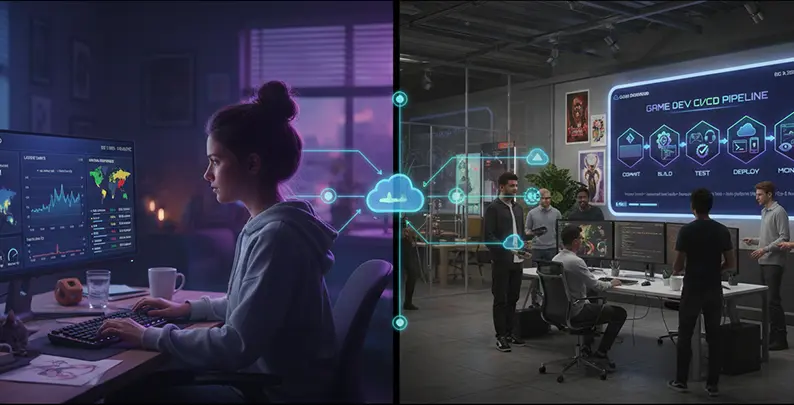
Continuous deployment enables faster iteration cycles. When developers commit code, automated pipelines trigger builds, run tests, and deploy to staging environments. After all tests and reviews are completed, updates are deployed to production without manual steps.

- Cross-platform builds: One code commit triggers builds for PC, console, mobile, and web, ensuring consistency across platforms.
- Rollbacks and hotfixes: If an update causes issues, a one-click rollback restores the previous version. Critical hotfixes can be deployed within minutes, avoiding delays.
- A/B testing: CI/CD allows deploying feature variations to different player groups. Studios can measure engagement or monetization performance and remove underperforming features easily.
-
Modular Architectures and Service-Oriented Design
Microservices break a monolithic game backend into smaller, independent services—such as matchmaking, chat, inventory, player progression, social features, and analytics. Each service scales independently based on its demand. For example, matchmaking may spike during peak hours, while chat may remain steady. Cloud orchestration scales each one accordingly.
Standardized APIs allow studios to replace services without rebuilding the entire system. A studio might start with a basic matchmaking solution, then switch to AWS FlexMatch or Google Cloud’s Open Match later with minimal changes.
This modular architecture allows studios to evolve their systems gradually. It avoids full rewrites. Teams can also build services in different programming languages depending on their expertise or specific performance goals.
-
AI/ML, Analytics, and Customization at Scale
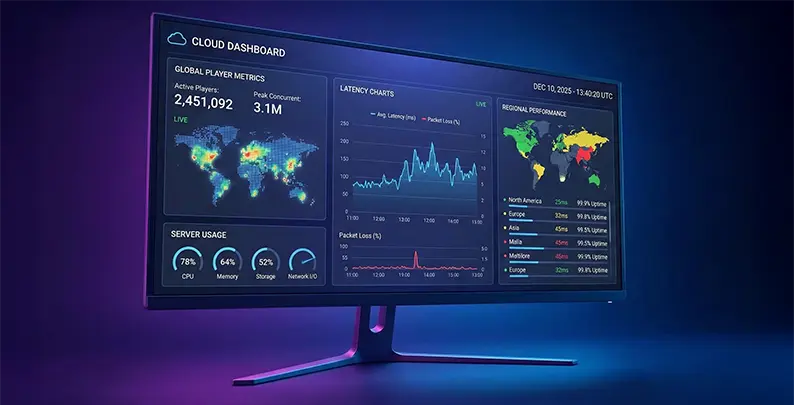
Cloud AI/ML services enable advanced personalization and optimization. Machine learning models analyze player behavior to adjust difficulty, suggest in-game purchases, detect cheating, and improve matchmaking. Cloud providers offer pre-trained models for common use cases, eliminating the need for in-house data science teams.
Real-time analytics and telemetry give instant visibility into player behavior, system performance, and monetization metrics. Dashboards show data like engagement, conversion rates, retention, and system health. This enables fast, data-driven decisions.
ML Ops frameworks help manage machine learning in production. They automate model deployment, monitoring, and updates. This keeps AI-driven systems performing well as player behavior changes over time.
-
Multi-Cloud and Hybrid Strategies
To avoid vendor lock-in, studios design architectures that are portable across cloud providers. This helps reduce switching costs if a provider raises prices, changes terms, or faces downtime.
Key strategies include:
- Building cloud-agnostic systems using open standards and containerization (Docker, Kubernetes)
- Avoiding proprietary services when practical alternatives exist
- Using open-source tools like Kubernetes for orchestration, Agones for game server hosting, and Open Match for matchmaking—available across multiple clouds
- Running multi-cloud deployments where main workloads operate on one provider, with backups or secondary services on others
Multi-cloud strategies increase complexity but offer strategic flexibility. They require more advanced tooling to manage, but allow studios to take advantage of each provider’s strengths—like AI capabilities from one and better networking from another.
Comparing Major Cloud Platforms for Game Development
Evaluation Framework
Selecting cloud platforms for game development requires evaluating several key areas:
- Scalability capabilities: Auto-scaling support, maximum scale, and latency performance
- Flexibility features: Range of services, ease of integration, and customization options
- Game-specific tools: Built-in support for game servers, matchmaking, and backend systems
- Cost structure: Pricing models, discounts, and overall cost of ownership
- Ease of use: Developer documentation, support, and learning curve
Amazon Web Services (AWS)
AWS GameLift offers fully managed game server hosting built specifically for multiplayer, session-based games. It automates deployment, scaling, and operations. Developers upload game server builds to Amazon S3. GameLift retrieves and manages these builds on EC2 instances, scaling automatically based on player demand.
AWS FlexMatch provides integrated matchmaking. It factors in player skill, latency, and custom rules to create balanced matches. This results in quick matchmaking with consistent wait times through intelligent queue management.
AWS’s strengths include its market leadership (31% share), wide range of services, long-standing operational stability, and extensive DevOps integration. AWS Direct Connect delivers dedicated low-latency connections for studios. AWS VPN supports secure remote development access.
Cost benefits come from AWS’s scale. Services like AWS Lambda (serverless functions) and spot instances help reduce costs for variable workloads. However, AWS’s pricing model is complex and requires careful monitoring to avoid overspending due to over-provisioning.
Microsoft Azure
Azure PlayFab is a full-featured backend-as-a-service platform. It handles player identity, segmentation, real-time analytics, Live Ops tools, and monetization systems. PlayFab multiplayer servers provide dedicated hosting with dynamic scaling, supporting from 100 to over 10 million concurrent players.
PlayFab Party offers secure, low-latency networking for player communication. This includes chat and data messaging, powering major titles like Halo, Gears of War, and Sea of Thieves. This integrated approach reduces the need to assemble solutions from multiple providers.
Tight integration with the Microsoft ecosystem is a key advantage. Studios using Visual Studio and Azure DevOps benefit from seamless pipelines for version control, build automation, and deployment.
Azure’s enterprise-friendly features include robust security (over $1 billion in annual investment and 3,500+ cybersecurity professionals), regulatory compliance, and cloud credits of up to $150,000 for eligible startups.
Industry analysts often call Azure the most comprehensive offering, though its broad service scope can add complexity.
Google Cloud Platform (GCP)
Agones, from the Greek word “agōn,” is Google’s open-source platform for managing dedicated game servers using Kubernetes. It’s vendor-neutral and built on standard Kubernetes APIs, supporting deployment on GCP, on-premises setups, or hybrid environments.
Open Match is another open-source framework from Google. It enables studios to implement flexible, game-specific matchmaking logic.
GCP’s Kubernetes-native infrastructure is a strong fit for teams already using microservices. Google Kubernetes Engine (GKE) is widely regarded as the industry’s best, thanks to Google’s deep expertise in Kubernetes.
GCP focuses heavily on analytics and AI/ML. BigQuery processes massive datasets efficiently, while Vertex AI offers a full suite of managed machine learning tools. Studios focused on data-driven gameplay and advanced analytics benefit greatly from GCP’s strengths in this area.
GCP also provides cost advantages in select services. For example, Google Cloud Functions can cost up to four times less than AWS Lambda for similar workloads. While GCP offers less breadth overall than AWS, its open-source support and lower vendor lock-in risk make it a strong choice for teams prioritizing flexibility and portability.
Game Engine Integration with the Cloud
Unity Cloud Features
Unity Gaming Services (UGS) offers cloud-powered backend tools integrated directly into the Unity editor. Developers can configure services in the Unity Dashboard and activate them in their game code with just a few lines of C#.
Unity Cloud Build—now called Unity Build Automation—handles multiplatform builds in the cloud. When developers commit code, the system automatically triggers builds for PC, console, mobile, and web. This removes the need for local build machines and speeds up iteration.
UGS Multiplayer provides real-time networking infrastructure for multiplayer games. UGS Vivox adds voice and text chat services, enabling seamless communication between players.
UGS Economy and monetization tools manage virtual currencies, item catalogs, and player transactions. These services work alongside UGS Analytics, which provides real-time insights into player engagement and spending behavior.
Unreal Engine Cloud Integration
Pixel Streaming allows Unreal games to be rendered in the cloud and streamed to player devices. Players can access high-quality games through a web browser, even on low-end hardware. This removes the need for local installation and centralizes server operations.
Unreal server builds can be deployed using cloud SDKs. These integrate with managed hosting services and scale automatically based on player traffic. SDK documentation includes templates and best practices for deploying servers in cloud environments.
Unreal Engine supports AWS GameLift for dedicated hosting, Azure PlayFab for full backend services, and GCP Agones for Kubernetes-based deployment. This multi-cloud support provides flexibility and reduces dependency on a single provider.
Unreal’s cloud development tools include Zen Servers for asset caching, distributed build systems, and Build Accelerators that speed up compilation. These tools help remote teams iterate faster, especially on large-scale game projects.
Best Practices and Challenges
1. Cost Management and Efficiency
Avoiding overprovisioning is one of the most effective ways to cut cloud costs. Many studios allocate resources based on peak loads, leading to wasted infrastructure during normal use. Key solutions include:
- Right-sizing: Match instance types to actual usage patterns, not worst-case scenarios.
- Reserved instances: Commit to long-term use (1–3 years) for predictable workloads and save up to 70%.
- Spot instances: Use discounted capacity for non-critical tasks like testing, analytics, or batch jobs.
- Scheduled scaling: Automate capacity increases during peak hours and reductions during off-peak times.
Use tagging to track costs by game, team, or environment. Set budgets and quotas with alerts to prevent overspending.
Real-world results show significant savings:
- Games24x7 cut cloud costs by 35% using automation and right-sizing.
- Mid-sized studios saved 30% with spot instances.
- Indies cut 15–25% through tiered storage optimization.
2. Security and Data Compliance
Security must be baked into every part of your architecture:
- IAM: Use least privilege access to limit what users and services can do.
- Encryption: Always encrypt data in transit (SSL/TLS) and at rest (AES-256).
- Secrets management: Store keys and credentials securely using tools like AWS Secrets Manager, Azure Key Vault, or GCP Secret Manager.
- Multiplayer protection: Isolate game servers with firewalls and IP whitelisting; use rate limiting to prevent abuse.
Games collecting player data must comply with laws like GDPR, CCPA, and others. This requires encrypted storage, data deletion on request, and documented handling practices. Cloud providers offer built-in compliance support and certifications like ISO 27001 and SOC 2.
Some regions require data to remain local. Multi-region deployments help meet data residency requirements while keeping global infrastructure intact.
3. Performance Monitoring and Optimization
Use built-in tools like AWS CloudWatch, Azure Monitor, or Google Cloud Trace to track system health and app metrics in real time.
- Load testing: Simulate player traffic to test infrastructure under pressure and tune scaling rules.
- Telemetry-based scaling: Scale based on metrics like matchmaking queue size or player latency—not just CPU or memory.
- Distributed tracing: Track how requests move through complex services to find slow points or bottlenecks.
These practices help ensure smooth performance and quick recovery when issues arise.
4. Redundancy, Failover, and Disaster Recovery
Build for failure by default. Spread services across multiple regions to survive outages.
- Failover systems: Load balancers and DNS can reroute traffic away from failed regions automatically.
- Backups: Store database backups in separate regions to ensure recovery after critical incidents.
- Define RTO and RPO: Know your acceptable downtime (RTO) and data loss (RPO). Use redundancy and frequent backups to meet these targets.
- Test regularly: Run game day simulations to practice incident response and validate recovery tools. Without testing, failover systems often fail when needed most.
5. Avoiding Vendor Lock-In
Design with portability in mind to keep options open:
- Containerization: Docker lets you run workloads the same way across AWS, Azure, GCP, or on-prem.
- Kubernetes orchestration: Use managed Kubernetes (EKS, AKS, GKE) to deploy consistently across platforms.
- Open standards: Stick to protocols like HTTPS and JSON instead of proprietary APIs.
Use open-source tools to reduce reliance on specific vendors:
- Agones (game server hosting)
- Open Match (matchmaking)
- Kubernetes ecosystem (multi-cloud friendly)
Container-based strategies take more setup but offer long-term flexibility. You can migrate entire applications by moving container images between providers.
Strategies for Indies vs. Large Studios
1. Indie Studios
Indie developers often face tight budgets and limited resources. Instead of building full backends from scratch, they rely on managed services like PlayFab, GameKit, and UGS. These platforms offer ready-made features such as player authentication, leaderboards, virtual economies, and analytics.
Free cloud credit programs help reduce initial costs:
- AWS Activate: $1,000–$100,000+
- Google Cloud: Up to $200,000 for startups, $350,000 for specialized tech companies
- Azure Founders Hub: Up to $150,000 plus tools like GitHub and Visual Studio
- DigitalOcean: Up to $100,000 in credits
These programs allow indies to build and scale with minimal upfront investment. Cost-efficient strategies include using spot instances for testing and analytics, keeping infrastructure lean, auto-scaling during demand spikes, and closely monitoring budgets to avoid surprise costs.
Today, even a solo developer can launch global multiplayer games—something once limited to enterprise-level budgets. Cloud-managed services let indie teams focus on gameplay rather than infrastructure.
2. Large Studios and AAA Teams
AAA studios operate at global scale. They deploy infrastructure across 10–20+ regions to maintain low-latency performance for millions—or even billions—of players.
They use custom DevOps pipelines and enterprise-grade monitoring tools. These are integrated with proprietary server architectures, analytics systems, and cost optimization platforms. Managing such complexity requires large infrastructure teams (often 50–200+ engineers) dedicated to performance, redundancy, and compliance.
Enterprise demands include:
- 99.99%+ uptime SLAs
- Instant incident response
- Regulatory certifications (SOC 2, ISO 27001)
- Advanced latency tuning, high-throughput databases, and intelligent caching
At this scale, every millisecond matters. Tools like CloudWatch, Azure Monitor, and GCP Trace help identify and fine-tune performance bottlenecks.
3. Scaling Cloud Strategies Over Time
Game infrastructure often evolves in three stages:
- Stage 1: MVP/Launch
Studios use managed backends and serverless tools to minimize DevOps and auto-scale during launch spikes.
-
Stage 2: Early Growth
As players grow (10k–100k concurrent), teams adopt dedicated game servers (GameLift, PlayFab, Agones) while keeping managed analytics and auth.
-
Stage 3: Scale
At millions of players, studios build custom solutions—matchmaking, backend logic, and region redundancy tailored to their needs.
This evolution is supported by modular architecture. Studios can gradually replace managed components with custom ones as scale and complexity increase.
Cost strategies also shift over time:
- Early-stage: On-demand instances
- Growth: Add reserved capacity
- Large scale: Mix reserved, spot, and on-demand for 40–50% savings
Conclusion
Cloud-based game development has become the standard for studios of all sizes, offering unmatched scalability, flexibility, and cost control. From indie teams using managed services to launch global multiplayer titles, to AAA studios managing millions of concurrent players across regions, the cloud empowers rapid iteration, seamless live ops, and performance optimization at scale. Embracing cloud-native strategies is no longer optional—it’s essential for delivering modern gaming experiences and staying competitive in a fast-evolving industry.
Frequently Asked Questions
Scalability in cloud game development refers to automatically adjusting server resources to handle changing player loads, ensuring smooth performance during traffic spikes, and reducing costs during low activity.
Flexibility allows developers to iterate faster, work remotely, and integrate modular services like analytics or multiplayer, making it easier to adapt games to market needs and player feedback.
AWS, Azure, and Google Cloud each offer robust game services. The best choice depends on your studio’s tools, budget, game scale, and preferred engine, like Unity or Unreal.
Yes, indie developers can access free tiers, startup credits, and managed services such as PlayFab or AWS GameKit to build scalable games without the enormous upfront infrastructure costs.
Related Posts

Have a Game Idea but No Development Team? How to Get It Built
This guide walks you through every realistic way to get your game made, what each one really costs you in time and control, and how to pick the right one before you spend a dollar finding out the hard way.

Top 10 Game Development Companies in USA (2026 Update)
In this blog, we’ll discuss the top 10 game development companies in USA, along with how to evaluate them beyond surface-level claims, so you can identify partners who actually align with your vision, technical needs, and long-term growth goals.

Top Game Development Companies in 2026: 10 Global Leaders Compared
Most game projects don’t fail because the idea was weak. They fail because the development partner couldn’t scale, adapt, or deliver when pressure peaked.