


 Unity
Unity Unreal
 Godot
Godot
 Mobile
 PC
PC Console
 Full-Cycle
 Co-Development
 Outstaffing



-
 Game Development
 Jan 17th, 2024
- Share:
Table of Contents
- An Overview of Game Asset Workflow
- Major Challenges that takes place in Game Asset Creation Workflow:
- Best Practices in Asset Creation
- What are the Most Important Tools Needed in Game Asset Creation Workflow
- Steps Involved in Game Asset Creation
- Learning Resources and Best Practices for Game Asset Creation
- About Juego Studios
- Conclusion
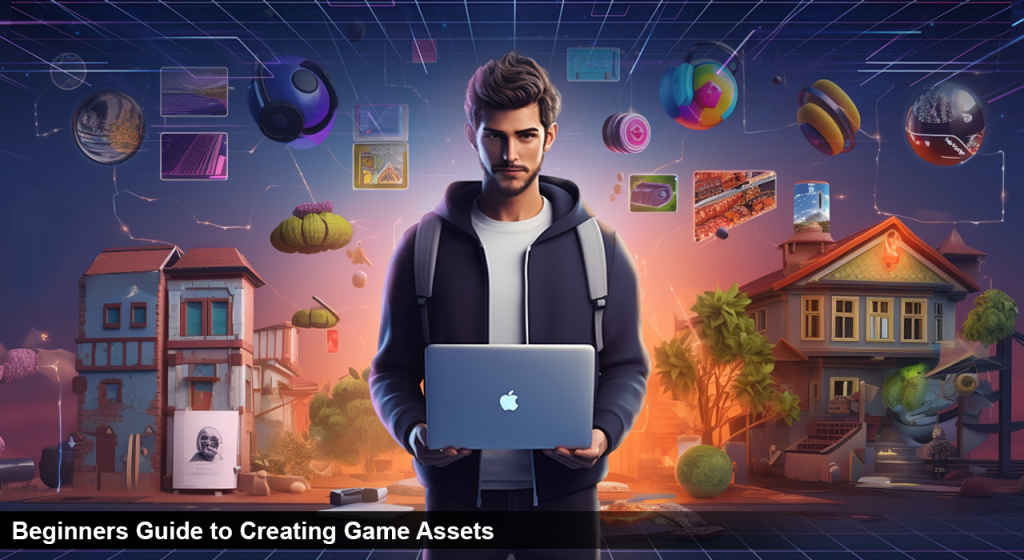
There is a lot of creativity that goes into making games. Everything has to be right from the story and characters to the gameplay mechanics. But before any of that can happen, you need game assets. In this detailed guide, we will go over the game asset definition and the entire process of making game assets from start to finish.
We will discuss what game assets are and how to make game assets in this blog. If you are new to game asset creation or want to learn more about the process, this guide is for you!
Let’s get started.
An Overview of Game Asset Workflow
As per game asset definition, the game asset creation workflow is creating and managing all digital assets related to games. It involves a series of steps essential for producing high-quality 3D models, textures, animations, and other media used in game development. For those learning how to make assets for games, mastering this workflow is crucial to ensure both speed and quality in production.
Game developers must be able to create assets quickly and efficiently, as any delay in production can cause a significant impact on the overall development timeline. Along with this, the game asset workflow also includes the distribution and maintenance of assets and their integration into game builds.
Types of Game Assets
Understanding the variety of game assets is crucial for beginners. Game assets can be broadly categorized into:
- 2D Assets: Sprites, textures, UI elements, and backgrounds.
- 3D Assets: Models, environments, characters, and props.
- Audio Assets: Sound effects, background music, and voice-overs.
- Animation Assets: Character animations, cutscenes, and environmental animations.
- Visual Effects (VFX): Particle systems, lighting effects, and shaders.
Each asset type plays a unique role in game development, and recognizing their differences helps in planning and execution.
Essential Tools and Software
A comprehensive list of tools can guide beginners in selecting the right software for asset creation:
- 2D Art: Adobe Photoshop, GIMP, Krita.
- 3D Modeling: Blender, Autodesk Maya, 3ds Max.
- Texturing: Substance Painter, Quixel Mixer.
- Animation: Spine, DragonBones, Adobe After Effects.
- Audio Editing: Audacity, FL Studio.
- Game Engines: Unity, Unreal Engine, Godot.
Major Challenges that takes place in Game Asset Creation Workflow:
Mobile game developers face various challenges and difficulties while developing 3D games. We have mentioned a few of them below.
Unsecured Assets
One of the significant challenges game developers face is unsecured assets. The games require making multiple game assets like textures, models, and animations which can be compromised if not secured properly. Unsecured game assets can lead to numerous problems, such as data theft, breach of intellectual property and even financial losses for game developers.
Time-Consuming Process
Game asset creation is very time-consuming as it requires intricate details from game development services. It also requires complex coding that makes it difficult for developers to finish the project on time. To ensure their 3D games are successful, companies must invest in an efficient and effective workflow for their 3D game asset creation process, ensuring high-quality visuals and optimized performance.
Rigid Asset Creation Workflow
The game developers have to follow a rigid game asset creation workflow, making adopting new technologies and processes challenging. This limits most of the companies’ ability to create innovative games that can attract more players. Moreover, game developers may not be able to use existing game assets differently due to the rigid asset creation workflow.
Hectic Evaluation Process
As per game asset definition, you can understand that the evaluation process of game assets, such as textures, models and animations, can be lengthy and intense. It requires close collaboration between the developers and professionals in different disciplines like graphic design, animation and sound engineering to ensure each asset meets quality standards. This is especially true for large-scale projects that involve hundreds of assets.
Each asset must be carefully examined to ensure it looks good when integrated into the game environment. Making sure every game asset is up to par takes time, but necessary to guarantee a high-quality gaming experience. Additionally, iterative processes must often be employed throughout this process to identify potential problems or weaknesses before the asset is released into production.
Best Practices in Asset Creation
Sharing industry best practices can help beginners produce high-quality assets:
- Consistent Style: Maintain a cohesive art style throughout the game.
- Optimization: Balance visual fidelity with performance; use appropriate polygon counts and texture resolutions.
- Modularity: Design assets that can be reused or combined in various ways.
- Documentation: Keep detailed records of asset specifications and versions.
These practices ensure efficiency and quality in the asset creation process.
You May Also Like: Game Art Clarity vs Visual Fidelity
Common Mistakes and How to Avoid Them
Highlighting typical pitfalls can help beginners navigate challenges:
- Overcomplicating Designs: Start simple and gradually add complexity.
- Ignoring Optimization: Always consider performance constraints.
- Lack of Planning: Sketch and plan assets before diving into creation.
- Neglecting Feedback: Seek critiques to improve and refine assets.
Awareness of these mistakes fosters better practices and outcomes.
What are the Most Important Tools Needed in Game Asset Creation Workflow
If you’ve clearly understood the game asset workflow, it’s time to check on the necessary tools which are a must-have in Game asset creation workflow:
1. Game Asset Management Software
These software programs are designed to help game developers and game development studios easily manage the various assets for game development used in the creation process. Such software can also be used to track and maintain asset versions, enabling quick updates when needed.
2. 3D Modeling Programs
3D modeling programs are essential for creating realistic objects and environments which can be used in games. They allow game developers and 3D game development services to create high-quality models from scratch or import existing ones into the project for further customization.
3. Art Programs
Art programs such as Adobe Photoshop or GIMP can be used by game developers to create high-resolution textures and graphics for game assets. Such programs offer powerful tools for creating detailed, realistic visuals which can help to enhance the overall look and feel of the game.
Integration into Game Engines
Understanding how to import and manage assets within game engines is vital:
- Importing Assets: Steps to bring assets into engines like Unity or Unreal.
- Setting Up Materials: Assigning textures and shaders to models.
- Prefab Creation: Building reusable game objects.
- Scene Assembly: Placing and organizing assets within game levels.
This section bridges the gap between asset creation and game development.
Steps Involved in Game Asset Creation
The steps to create game assets are as follows:
1. Conceptualizing
Game developers must conceptualize the game asset they want to create. This includes researching existing design trends, understanding how to make video game assets effectively, and brainstorming original ideas to be used in the game. They should also consider how well their concept will fit into the overall narrative of their gaming experience.
2. Modeling
Once they have a clear idea, game developers typically begin modeling the actual asset using specialized software such as Blender or Maya. Modeling involves creating a 3D representation of the asset, setting up its dimensions and detailing.
3. Texturing
After creating the model, developers then proceed to texture the asset. This process entails wrapping an image or material around the model to give it more depth and realism. It’s important to remember that textures will vary depending on the platform used to play the game (e.g., console vs PC).
4. Animation
Once the model has been textured, some game assets may also require animation. This step is necessary if you wish your game asset to move or react dynamically in-game. Animators can craft specific movements or actions for the asset to perform in-game.
5. Optimization
To ensure that the game asset performs optimally, game developers must conduct a compression and optimization process. This step involves reducing the size of the model and texture files so that they don’t become too large or slow down performance when playing the game.
By following these steps, game developers can create high-quality assets that provide an engaging experience for their players. With careful planning and execution, these assets will be integral to any successful gaming app.
Learning Resources and Best Practices for Game Asset Creation
Learning Resources and Communities
- Tutorials: Links to beginner-friendly tutorials on platforms like YouTube or Udemy.
- Communities: Forums and groups such as Polycount, ArtStation, and Reddit’s r/gamedev.
- Asset Libraries: Repositories like OpenGameArt.org and Kenney.nl for free assets.
Engaging with these resources can accelerate learning and provide support.
Asset Management and Version Control
Efficient asset management is crucial in game development:
- Organizing Files: Maintain a structured folder hierarchy.
- Naming Conventions: Use clear and consistent naming for assets.
- Version Control Systems: Implement tools like Git or Perforce to track changes and collaborate effectively.
Proper management ensures smooth workflows and collaboration.
Collaborating with Teams
For those working in teams, understanding collaboration dynamics is essential:
- Communication: Regular updates and meetings to align on progress.
- Task Management: Utilize tools like Trello or Jira to assign and track tasks.
- Feedback Loops: Establish processes for reviewing and approving assets.
Effective collaboration leads to cohesive and successful projects.
Roadmap for Aspiring Asset Creators
Providing a structured learning path can guide beginners:
- Fundamentals: Learn basic art and design principles.
- Tool Proficiency: Gain hands-on experience with essential software.
- Project Practice: Create simple assets and gradually tackle complex projects.
- Portfolio Development: Compile and showcase work to potential employers or collaborators.
A clear roadmap motivates and directs learners toward their goals.
About Juego Studios
Juego Studios is a leading game development company specializing in game asset creation. They are committed to providing their clients with top-notch game design and visual assets. The team of experienced developers use the latest cutting-edge technology to create high-quality 3D models, textures, animation and sound effects that can bring your games to life.
Conclusion
Creating game assets requires a keen eye for detail, an understanding of the project’s purpose, and some technical skills. With practice and dedication, you can hone your craft and create beautiful, immersive game assets that will make any game stand out from the rest. Proper planning is essential to ensure that the production process runs smoothly with minimal hiccups.
With these tips in mind, you’ll be well on your way to creating amazing gaming experiences for players everywhere! We hope you’ve learned about the game asset definition and how to make game assets.
Frequently Asked Questions
Ensuring high-quality and performance-optimized game assets requires a structured approach to game asset creation. At Juego Studios, our process begins with a deep understanding of the game’s style, technical specifications, and platform requirements. Our experienced asset creators for video games use industry-standard tools and workflows to design assets that are visually appealing yet lightweight enough to run smoothly across all devices.
We follow best practices in polygon count, texture resolution, and LODs to maintain performance integrity. Each asset goes through a rigorous review and optimization process to align with both creative vision and gameplay requirements. With Juego Studios as your development partner, you gain access to a team committed to crafting top-tier assets tailored to your project’s unique needs.
Creating high-quality game assets requires the right set of tools tailored to different stages of production. For efficient 3D game asset creation, here’s what you need:
- Modeling Tools: Use Blender, Autodesk Maya, or 3ds Max for sculpting and polygonal modeling. These tools are great for creating both high-poly and low-poly models.
- Texturing Tools: Substance Painter and Adobe Photoshop are industry standards for adding realistic surface textures and maps to your 3D models.
- Animation Software: Tools like Mixamo, Maya, and Spine help rig and animate characters or objects for interactive gameplay.
- Game Engines: Integrate your assets into Unity or Unreal Engine for real-time rendering and interactivity.
- Asset Optimization: Use Simplygon or in-engine tools to optimize assets for performance across platforms.
At Juego Studios, we specialize in end-to-end 3D game asset creation, ensuring your game visuals are both stunning and technically optimized.
Managing large libraries of assets while maintaining consistency across a project requires a structured pipeline and robust version control. At Juego Studios, we implement standardized naming conventions, metadata tagging, and folder hierarchies to organize every asset efficiently. Our teams rely on asset management tools and cloud-based repositories to ensure seamless collaboration across departments, avoiding duplication or mismatched versions.
We also establish visual guidelines and style sheets early in the production cycle, ensuring that all 2D, 3D, and UI assets align with the game’s aesthetic. With our comprehensive approach, Juego Studios guarantees a cohesive visual experience and production efficiency from start to finish.
To streamline the asset creation workflow and save time, developers should begin by establishing a clear production pipeline that includes defined stages like concepting, prototyping, production, and testing. Using modular design principles can reduce rework, while maintaining a centralized asset library ensures consistency across projects. Integrating automation tools for repetitive tasks and leveraging version control systems like Git can further enhance collaboration and efficiency.
Outsourcing specific tasks such as 3D modeling or texture design to expert teams also boosts productivity. At Juego Studios, we offer comprehensive game art services that support streamlined asset production, ensuring quality, speed, and creative consistency at every stage.
Outsourcing game asset creation varies in cost based on complexity, style, and volume. Below is a detailed breakdown to help you estimate potential expenses effectively.
| Asset Type | Cost Range (USD) | Factors Influencing Cost |
| 2D Characters | $100 – $500 per asset | Art style, detailing, number of poses/animations |
| 2D Environment Art | $200 – $1,000 per asset | Size, perspective, texture richness, and design complexity |
| 3D Characters | $500 – $5,000 per model | Polycount, rigging, animation, realism level |
| 3D Environment Assets | $300 – $3,000 per model | Scale, texture maps, lighting setup, optimization needs |
| UI/UX Elements | $50 – $500 per screen | Screen complexity, interactivity, user flow design |
| VFX and Animations | $200 – $2,000 per effect | Particle dynamics, shader complexity, platform performance |
Juego Studios offers scalable asset creation services tailored to your game’s vision and platform, ensuring high quality, on-time delivery, and budget control.
Yes, game development companies can absolutely help with developing custom game assets tailored to a project’s unique requirements. These assets include characters, environments, UI elements, animations, visual effects, and more, crafted to align with the game’s style, genre, and platform. Companies with end-to-end capabilities often involve concept artists, 2D/3D designers, and technical artists to ensure visual and functional consistency.
At Juego Studios, we specialize in providing high-quality, bespoke game assets that elevate the gameplay experience. Whether for indie titles or AAA productions, our team delivers custom asset solutions that match your creative vision while maintaining production efficiency and technical precision.
Related Posts
Have a Game Idea but No Development Team? How to Get It Built
This guide walks you through every realistic way to get your game made, what each one really costs you in time and control, and how to pick the right one before you spend a dollar finding out the hard way.
Top 10 Game Development Companies in USA (2026 Update)
In this blog, we’ll discuss the top 10 game development companies in USA, along with how to evaluate them beyond surface-level claims, so you can identify partners who actually align with your vision, technical needs, and long-term growth goals.
Top Game Development Companies in 2026: 10 Global Leaders Compared
Most game projects don’t fail because the idea was weak. They fail because the development partner couldn’t scale, adapt, or deliver when pressure peaked.